How customers opt in to text messages
Last updated: October 21, 2026
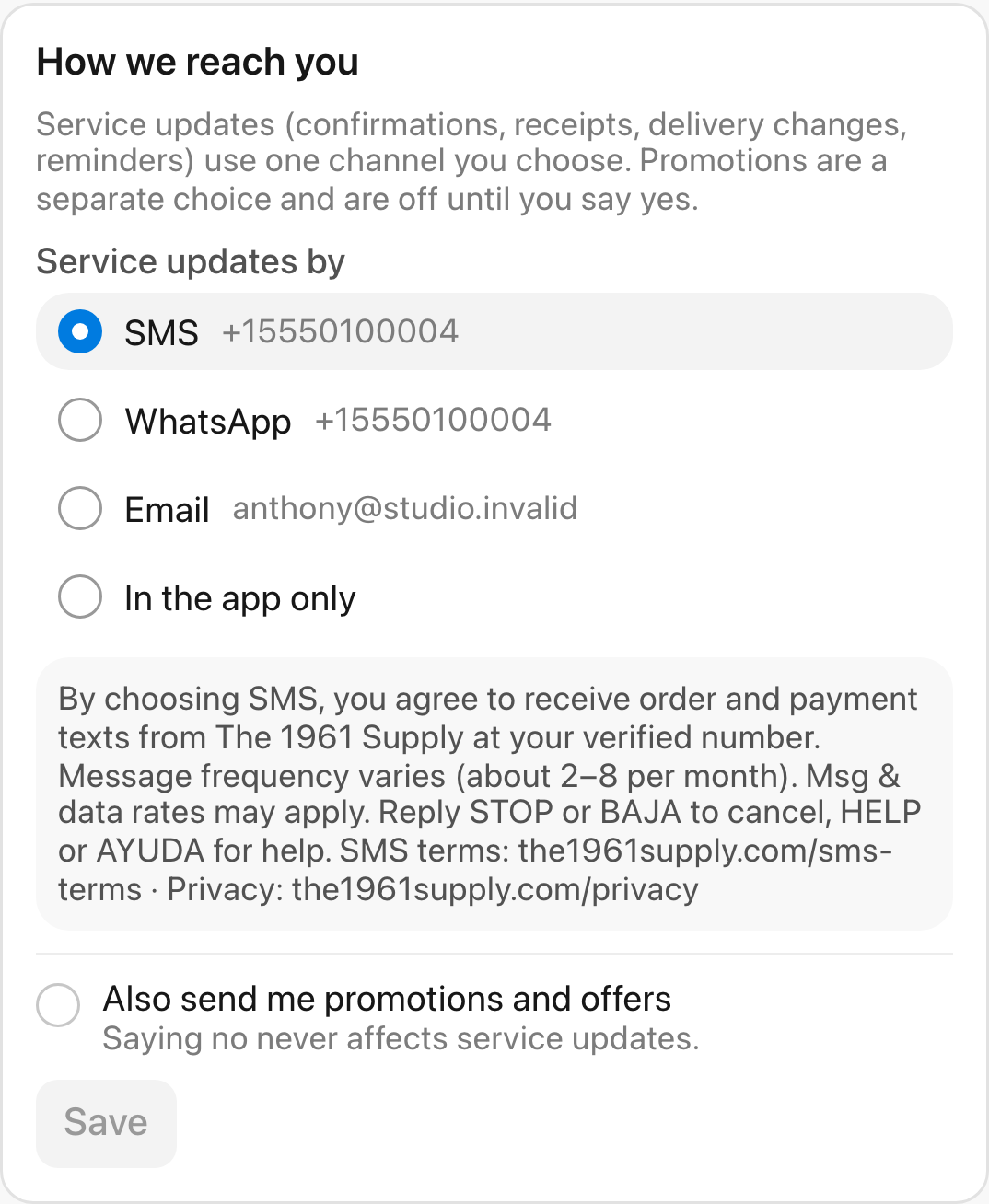
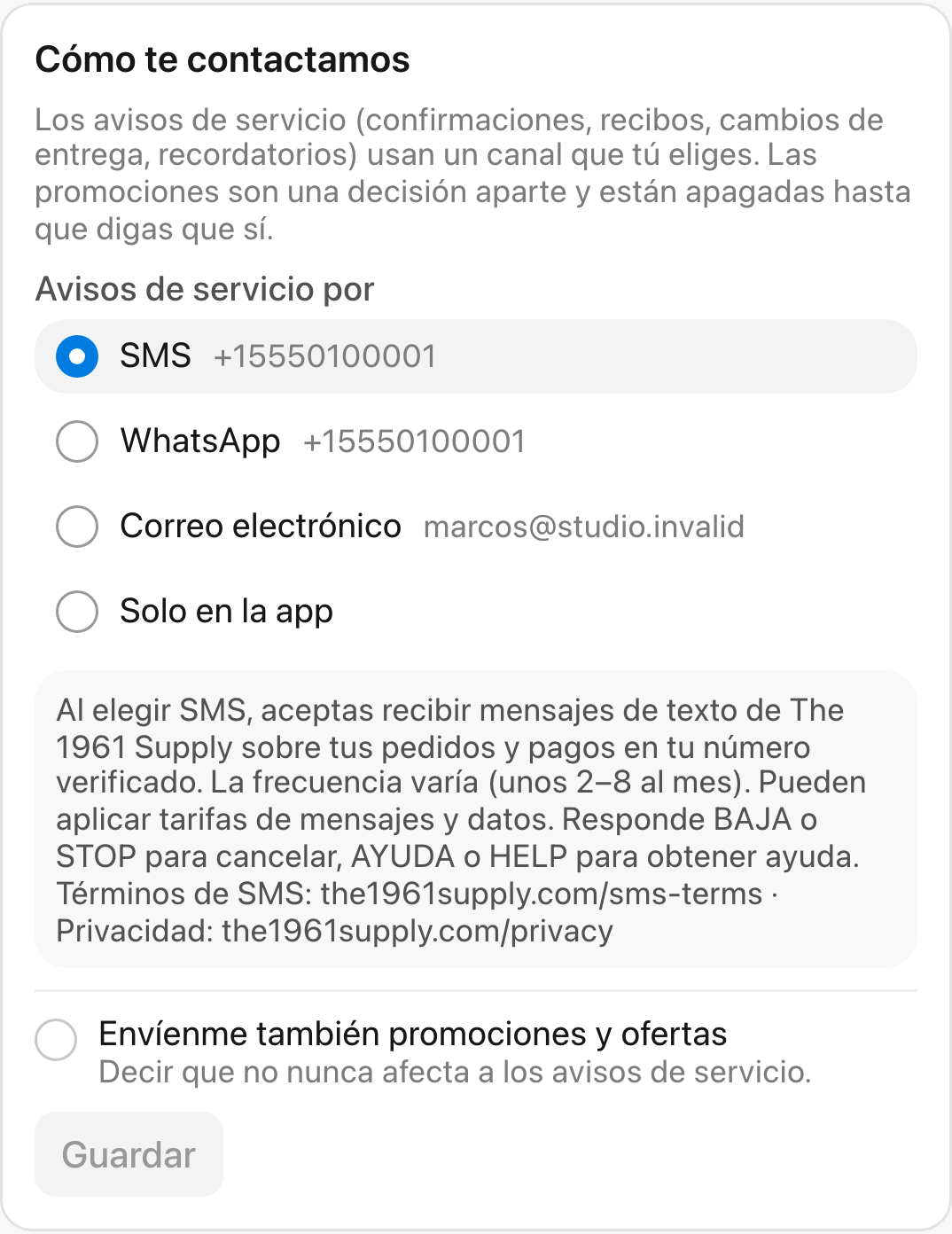
Customers of The 1961 Supply LLC are barbershop owners with an account. In their account's Messages screen ("How we reach you"), each customer chooses how to receive order and payment updates: SMS, WhatsApp, email, or in the app only. Choosing SMS shows the terms below, and the customer saves their choice. The mobile number is verified with a one-time code first. Customers can change their choice at any time, or reply STOP or BAJA to any text to stop SMS messages.
 (opens full-size image in a new tab)
 (opens full-size image in a new tab)
By choosing SMS, you agree to receive order and payment texts from The 1961 Supply at your verified number. Message frequency varies (about 2–8 per month). Msg & data rates may apply. Reply STOP or BAJA to cancel, HELP or AYUDA for help. SMS terms: https://www.the1961supply.com/sms-terms · Privacy: https://www.the1961supply.com/privacy
Requested contact-verification codes
These app-sent security messages are separate from optional order and payment texts, and from the sign-in codes handled by our sign-in provider. A stored phone number or an account alone does not enroll a customer in operational texts.
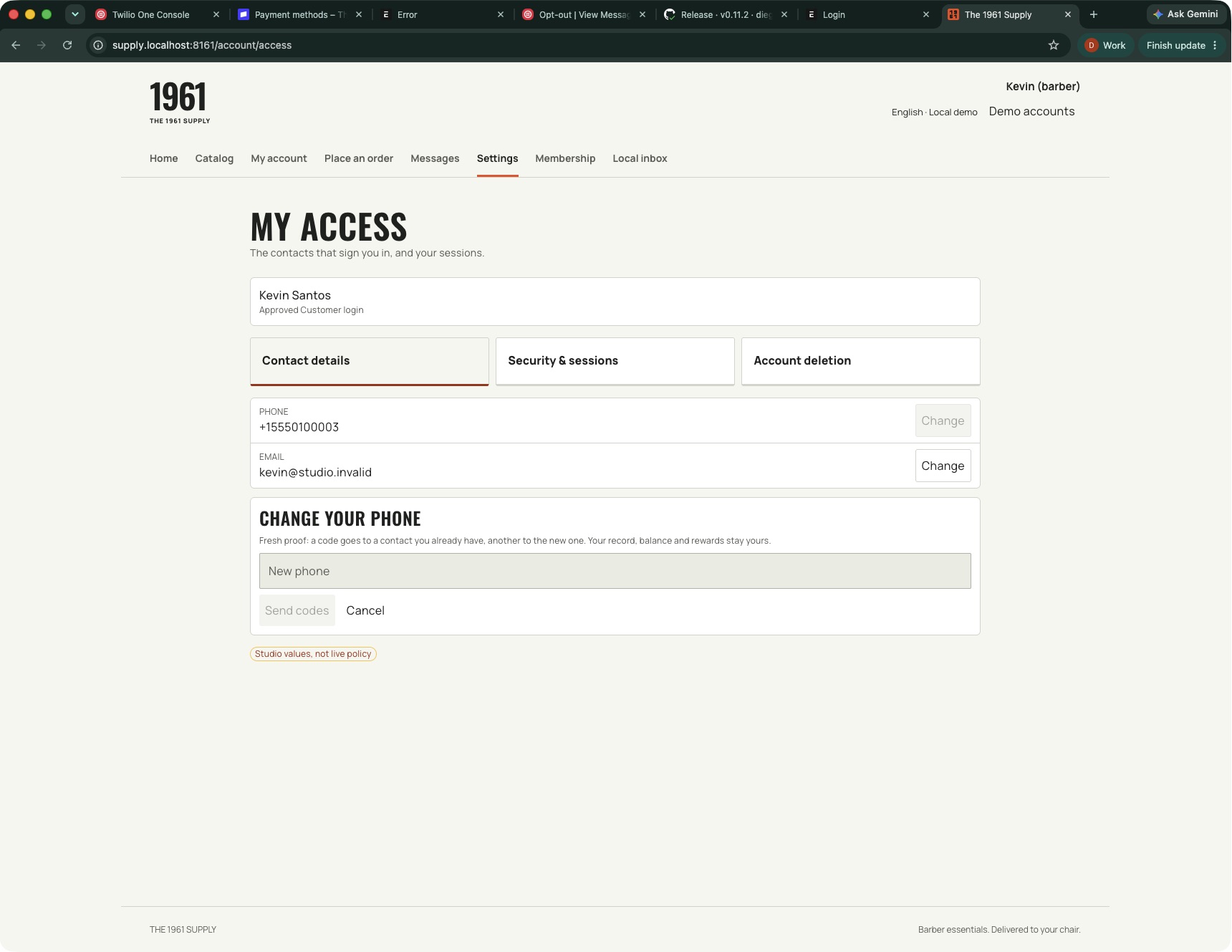
- To change a phone number, the signed-in customer opens Settings → Contact details → Change your phone, enters the new number and selects Send codes. This requests a short-lived code to an existing contact and another to the new number. The customer enters both codes before confirming the change.
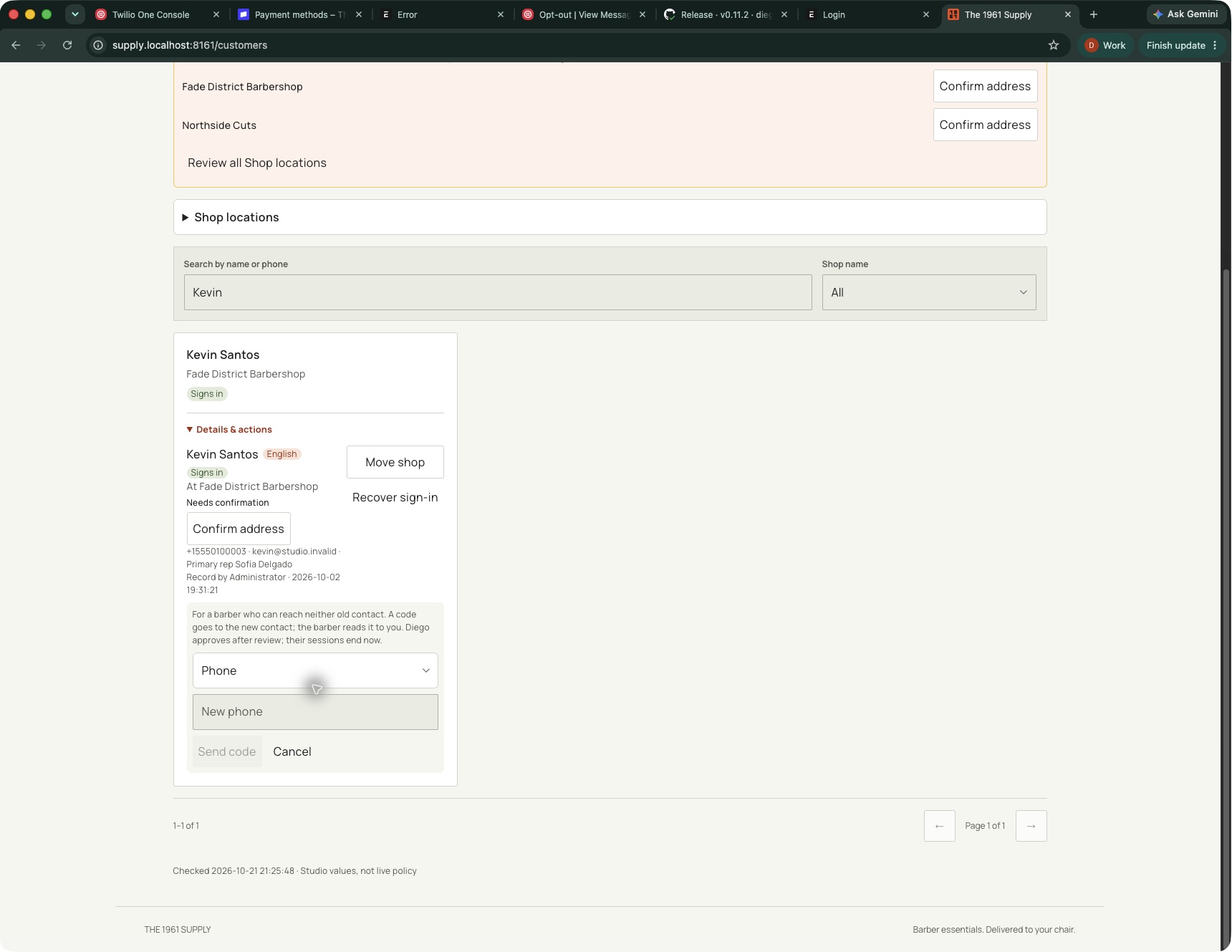
- If the customer cannot access either previous contact, they ask their sales rep for help and provide a new contact. Staff open Recover sign-in and select Send code at the customer's request. The customer receives the code and reads it to the rep. Verification is followed by owner review before the contact is replaced.
The request authorizes the verification messages needed for that contact change or recovery; it does not subscribe the number to order updates or marketing. Codes expire in 10 minutes. Related security notices report account-access changes. Message and data rates may apply. Reply STOP or BAJA to stop app text messages, START or ALTA to resume, and HELP or AYUDA for help. If texts are blocked, contact info@the1961supply.com or (631) 482-4765 for assistance. SMS terms and privacy links appear above.
Códigos de verificación solicitados
Estos mensajes de seguridad de la app son independientes de los mensajes opcionales sobre pedidos y pagos y de los códigos de inicio de sesión de nuestro proveedor de acceso. Guardar un teléfono o tener una cuenta no activa los avisos operativos.
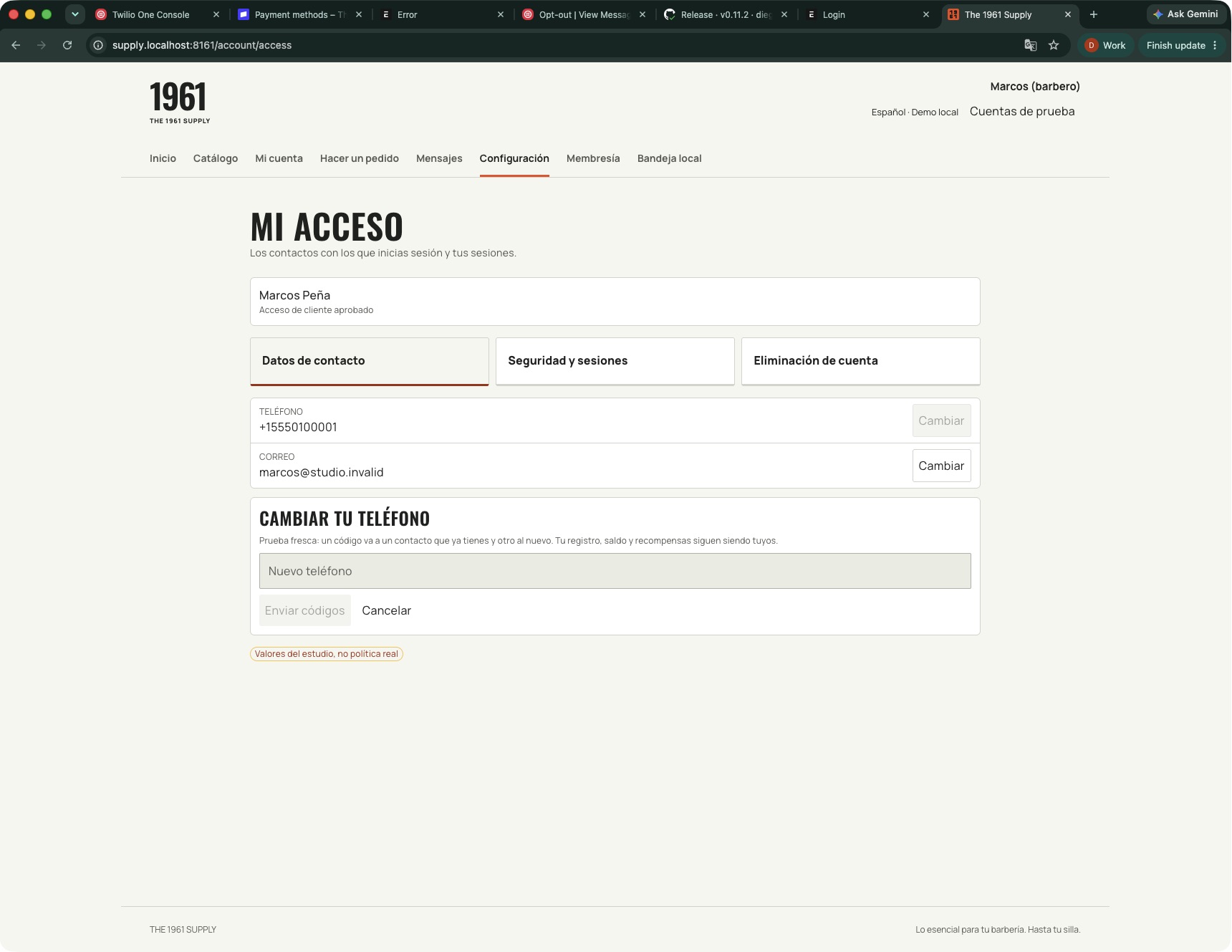
- Para cambiar su teléfono, el cliente inicia sesión y abre Configuración → Datos de contacto → Cambiar tu teléfono, escribe el número nuevo y pulsa Enviar códigos. Solicita así un código para un contacto que ya tiene y otro para el número nuevo. Debe introducir ambos códigos antes de confirmar el cambio.
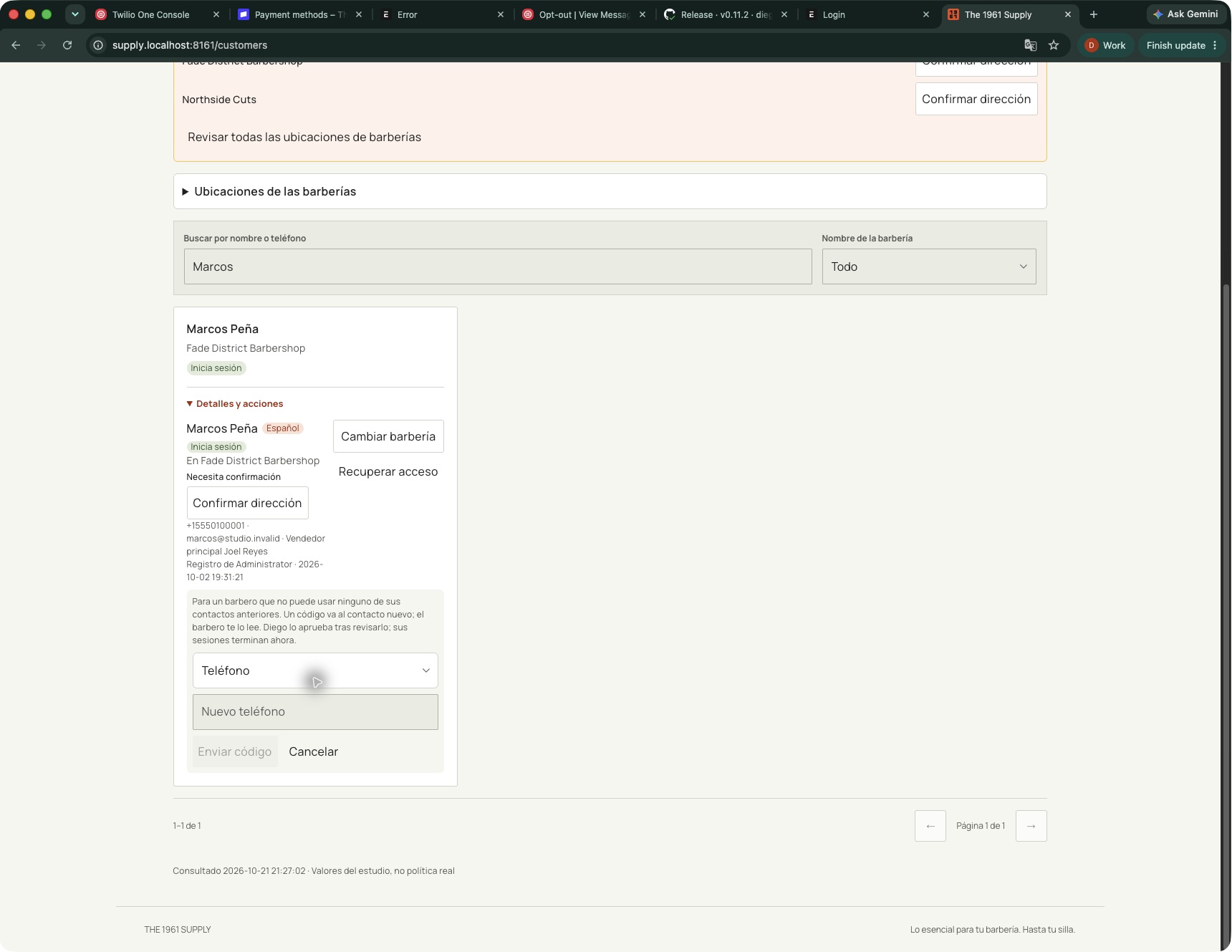
- Si no puede usar ninguno de sus contactos anteriores, pide ayuda a su vendedor y proporciona un contacto nuevo. A petición del cliente, el vendedor abre Recuperar acceso y pulsa Enviar código. El cliente recibe el código y se lo lee al vendedor. Después de verificarlo, el dueño revisa la solicitud antes de reemplazar el contacto.
La solicitud autoriza los mensajes de verificación necesarios para ese cambio o recuperación; no suscribe el número a avisos de pedidos ni a promociones. Los códigos vencen en 10 minutos. Los avisos de seguridad relacionados informan de cambios en el acceso a la cuenta. Pueden aplicarse cargos por mensajes y datos. Responde BAJA o STOP para cancelar los mensajes de la app, ALTA o START para reanudarlos y AYUDA o HELP para obtener ayuda. Si los mensajes están bloqueados, escribe a info@the1961supply.com o llama al (631) 482-4765. Los enlaces de términos SMS y privacidad aparecen arriba.
The screenshots below show the app's request forms using fictional local-demo accounts and contacts. No real customer details or verification codes are shown. They demonstrate the interface; they are not evidence of live message delivery.
 (opens full-size image in a new tab)
 (opens full-size image in a new tab)
 (opens full-size image in a new tab)
 (opens full-size image in a new tab)